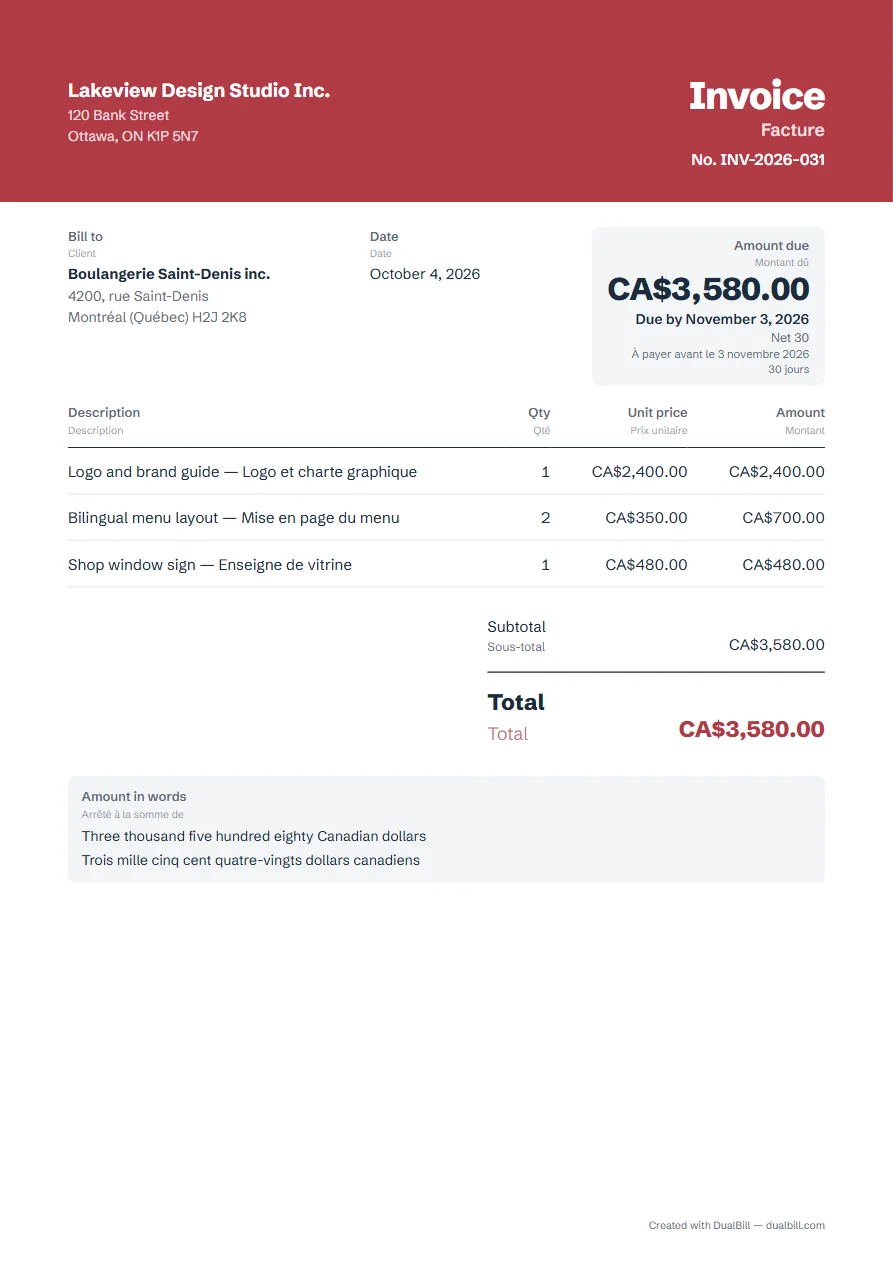
This invoice is set up in English, with French as the second language: every printed label appears in both, such as “Invoice” and “Facture”, and the total can be written out in words in each. Add your details, your client and the lines, then download the PDF. No sign-up; your invoices stay in your browser.
No sign-up · No watermark · Your data stays on your device
Your browser is blocking storage (private browsing?): this document will not be kept if you close the page. Download it before leaving.
This browser's storage is full: the document stays on screen but is no longer saved. Remove an image or delete old documents.
This document link is invalid or incomplete. Ask the sender to send it again.
Line deleted.
Amount due$0.00
Your businessVotre entreprise
InvoiceFacture
No. INV-2026-001
Bill toClient
—
DateDate
October 25, 2026
Amount dueMontant dû
$0.00
Due by November 24, 2026
Net 30
À payer avant le 24 novembre 2026
30 jours
DescriptionDescription
QtyQté
Unit pricePrix unitaire
AmountMontant
Add a line to get started.Ajoutez une ligne pour commencer.
SubtotalSous-total$0.00
TotalTotal$0.00
How the two languages are laid out
English is the document language, and each label carries its translation underneath in smaller type: “Amount due” above “Montant dû”, “Due date” above “Échéance”. Names, addresses and line descriptions stay exactly as you type them, so write the lines in the language your client reads, or in both.
Does your client read French first? In “Add details”, open “Languages and currency”, then set French as the “Document language” and English as the “Second language”. The two languages then swap places.
Canada, Africa: country, currency and tax
For Canada or an African country, choose “Other country” at the top of the form, then your currency in “Languages and currency”: Canadian dollar, West or Central African CFA franc (XOF, XAF), and many more.
The generator doesn't apply Canadian or African tax rules yet. Enter your tax rate yourself; if your tax has another name, such as GST or HST, rename the “Tax” label in “Appearance”, under “Document labels”. Check the rules that apply to your business.
The total in words, in both languages
Tick “Write the total in words”: the amount is written in English, then in French, for example “One thousand two hundred CFA francs” and “Mille deux cents francs CFA”. CFA francs have no cents, so none are written. If the generator can't name a currency yet, the option is grayed out instead of printing a code.
Short English–French glossary
The labels the generator prints in both languages. They are standard French terms; if your client uses other words, rename any label to match local usage.
English
Français
Invoice
Facture
Estimate
Devis
Receipt
Reçu
Credit note
Avoir
Bill to
Client
Date
Date
Due date
Échéance
PO number
Bon de commande
Description
Description
Qty (quantity)
Qté (quantité)
Unit price
Prix unitaire
Amount
Montant
Subtotal
Sous-total
Tax
TVA
Amount due
Montant dû
Amount in words
Arrêté à la somme de
Stamp and signature
Cachet et signature
Example of an English–French invoice made with this generator (fictitious data).
Frequently asked questions
The tax label reads “TVA” on the second line. Can I change it?
Yes. “TVA” is the French name of VAT. In “Appearance”, under “Document labels”, type your own label for each language, for example “GST” and “TPS”; leave a field empty to keep the default.
Can my client open the invoice without the PDF?
Yes. “Share” creates a link that contains the invoice itself: your client opens it in a browser and can download the PDF from there. Logos, stamps and signatures aren't included in the link; send the PDF to include them.